

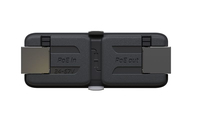
MikroTik GPER - Black - 2 A -40 - 70 °C
10/100/1000 Ethernet ports - 2 A - 802.3af/at - 24-57 V - 40°C to 70°C
Brand: MikroTik
SKU: GPER
$83.88
Price as listed. Shipping charges calculated at checkout.
In stock

Do you have any question about this product or its specs? Want to know more? Click here to contact our pre-sales consultant and make the right purchase.
 NOTE: The information below is provided for your convenience only; the accuracy of the specifications cannot be guaranteed. However, if necessary, please check with us before purchasing. Data provided by 1 World Sync.
General
Product colour
Black
DC output current
2 A
Mikrotik GPER. Product colour: Black. DC output current: 2 A
| Estimate Gross Weight | 0.2 |
|---|
https://mikrotik.com/product/gper#fndtn-specifications
The GPeR unit allows to extend Ethernet cable by additional hop (< 100 - 150 m to regular network devices, and up to 210 m to another GPeR unit) up to 1,500 m.
Handy for highrise buildings, multi-apartment buildings, with many floors and sections, where very long Ethernet cables might be a problem.
Maximium allowed length of CAT6 Ethernet cable between GPeR and power source/router is up to 100 m (depending on cable quality, high quality - up to 150 m).
Maximium allowed distance of CAT6 Ethernet cable between two GPeR devices is up to 210 m (depending on cable quality).
In case if the destination device does not support PoE-in powering, the PoE Passthrough can be disabled by manually removing all jumpers.
The GPeR unit allows to extend Ethernet cable by additional hop (< 100 - 150 m to regular network devices, and up to 210 m to another GPeR unit) up to 1,500 m.
Handy for highrise buildings, multi-apartment buildings, with many floors and sections, where very long Ethernet cables might be a problem.
Maximium allowed length of CAT6 Ethernet cable between GPeR and power source/router is up to 100 m (depending on cable quality, high quality - up to 150 m).
Maximium allowed distance of CAT6 Ethernet cable between two GPeR devices is up to 210 m (depending on cable quality).
In case if the destination device does not support PoE-in powering, the PoE Passthrough can be disabled by manually removing all jumpers.
0.0
0 review(s)
Inside NetworkDistri
From our network to yours.
Every day, technology moves through our operation — received, checked, prepared and dispatched to customers. The images below show real equipment handled through our operation, not stock photography.
Real operations
Technology we actually handle
01
Source
Global supply
02
Receive
Goods arrive
03
Prepare
Process & pack
04
Dispatch
On the way





































