

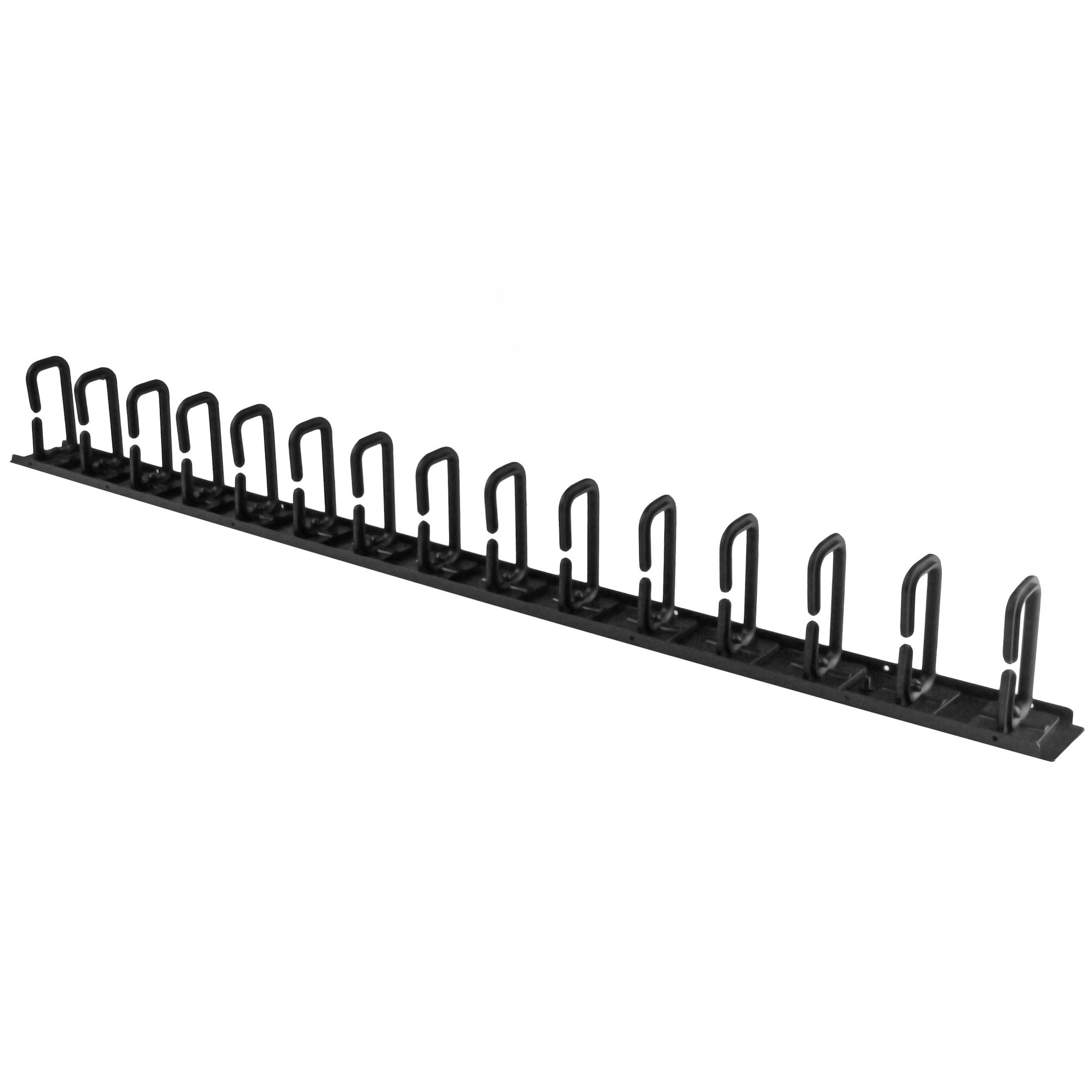
StarTech 0U 36in Vertical Cable Organizer with D-Hooks
Server Rack Cable Management w/ D-Ring Hooks - 20U Network Rack Cord Manager Panel - 3ft Wire Organizer (CMVER20UD)
Brand: StarTech.com
SKU: CMVER20UD
$119.88
Price as listed. Shipping charges calculated at checkout.
In stock

Do you have any question about this product or its specs? Want to know more? Click here to contact our pre-sales consultant and make the right purchase.
 NOTE: The information below is provided for your convenience only; the accuracy of the specifications cannot be guaranteed. However, if necessary, please check with us before purchasing. Data provided by 1 World Sync.
General
Type
Cable management panel
Product colour
Black
Housing material
Steel
Width
863.6 mm
Depth
50 mm
Height
87 mm
Quantity per pack
1 pc(s)
Package width
145 mm
Package depth
960 mm
StarTech.com Vertical Cable Organizer with D-Ring Hooks - 0U - 3 ft.. Type: Cable management panel, Product colour: Black, Housing material: Steel. Width: 863.6 mm, Depth: 50 mm, Height: 87 mm. Quantity per pack: 1 pc(s), Package width: 145 mm, Package depth: 960 mm
| Estimate Gross Weight | 0.76 |
|---|
https://www.startech.com/en-us/CMVER20UD
Organize your cables in any rack or cabinet thatΓÇÖs 20U or larger, using this vertical cable management panelThis 3-foot vertical cable manager gives you a simple and space-efficient way to organize the cables in your server rack. You can attach the cable manager vertically into your rack, to neatly guide cables between equipment thatΓÇÖs mounted at different heights.The 0U cable manager offers versatile installation options and is compatible with most racks that are 20U or larger. The panel features a 0U design that doesnΓÇÖt take up any mounting space, and with simple tool-less installation it's easy to attach or reposition as necessary.Improve the appearance and accessibility of your rackThe cable manager uses a D-ring method of cable management to run cables vertically along the side of your rack, neatly guiding them between equipment thatΓÇÖs mounted at different heights. This provides a tidy and well-organized way to run cables from devices mounted toward the bottom of your rack to other devices mounted near the top, without leaving a mess of cables hanging in between.Having neatly organized and routed cables not only improves the appearance and accessibility of your rack, it also makes it easier for you to install, access and maintain rack components.Hassle-free compatibility with your rackFor maximum compatibility with virtually any server rack, you can install the cable-management panels using mounting holes that are commonly found on most rack equipment. The tool-less mounting method attaches the cable management panel to the keyhole-shaped mounting holes that are built into your rack.The horizontal mounting rail method attaches the cable management panel to the horizontal mounting rails that run along the side of your rack.For racks that don't support these installation methods, you can also mount the cable management panels through other means, such as using the non-standardized holes found on your rack walls and enclosures, or the rack units on equipment mounting rails.Protect your equipmentRouting your cables through a panel reduces the tension that's often put on cables. This prevents cable damage or connection loss, and reduces strain on equipment ports, preventing damage to your expensive rack-mount devices.Properly routing cables also improves airflow, which passively cools devices stored in your rack, helping to keep your equipment running at optimal temperatures to reduce the probability of damage caused by your rack overheating.The CMVER20UD is backed by a StarTech.com 2-year warranty and free lifetime technical support.The StarTech.com Advantage
Organize your cables in any rack or cabinet thatΓÇÖs 20U or larger, using this vertical cable management panelThis 3-foot vertical cable manager gives you a simple and space-efficient way to organize the cables in your server rack. You can attach the cable manager vertically into your rack, to neatly guide cables between equipment thatΓÇÖs mounted at different heights.The 0U cable manager offers versatile installation options and is compatible with most racks that are 20U or larger. The panel features a 0U design that doesnΓÇÖt take up any mounting space, and with simple tool-less installation it's easy to attach or reposition as necessary.Improve the appearance and accessibility of your rackThe cable manager uses a D-ring method of cable management to run cables vertically along the side of your rack, neatly guiding them between equipment thatΓÇÖs mounted at different heights. This provides a tidy and well-organized way to run cables from devices mounted toward the bottom of your rack to other devices mounted near the top, without leaving a mess of cables hanging in between.Having neatly organized and routed cables not only improves the appearance and accessibility of your rack, it also makes it easier for you to install, access and maintain rack components.Hassle-free compatibility with your rackFor maximum compatibility with virtually any server rack, you can install the cable-management panels using mounting holes that are commonly found on most rack equipment. The tool-less mounting method attaches the cable management panel to the keyhole-shaped mounting holes that are built into your rack.The horizontal mounting rail method attaches the cable management panel to the horizontal mounting rails that run along the side of your rack.For racks that don't support these installation methods, you can also mount the cable management panels through other means, such as using the non-standardized holes found on your rack walls and enclosures, or the rack units on equipment mounting rails.Protect your equipmentRouting your cables through a panel reduces the tension that's often put on cables. This prevents cable damage or connection loss, and reduces strain on equipment ports, preventing damage to your expensive rack-mount devices.Properly routing cables also improves airflow, which passively cools devices stored in your rack, helping to keep your equipment running at optimal temperatures to reduce the probability of damage caused by your rack overheating.The CMVER20UD is backed by a StarTech.com 2-year warranty and free lifetime technical support.The StarTech.com Advantage
- Improve the appearance of your rack using a vertical cable manager with D-ring hooks
- Promote passive cooling in your rack by organizing cables to improve airflow
- Make your rack more accessible by organizing your cables for hassle-free maintenance and scalability
- 2.8ft (20U) in height
0.0
0 review(s)
Inside NetworkDistri
From our network to yours.
Every day, technology moves through our operation — received, checked, prepared and dispatched to customers. The images below show real equipment handled through our operation, not stock photography.
Real operations
Technology we actually handle
01
Source
Global supply
02
Receive
Goods arrive
03
Prepare
Process & pack
04
Dispatch
On the way





































