

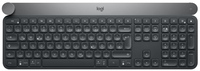
Logitech Craft Advanced with Creative Input Dial
Logitech Craft Advanced with Creative Input Dial - Keyboard - backlit - Bluetooth, 2.4 GHz - QWERTZ
Brand: Logitech
SKU: 920-008496
$0.00
Price as listed. Shipping charges calculated at checkout.
Out of stock

Do you have any question about this product or its specs? Want to know more? Click here to contact our pre-sales consultant and make the right purchase.
 NOTE: The information below is provided for your convenience only; the accuracy of the specifications cannot be guaranteed. However, if necessary, please check with us before purchasing. Data provided by 1 World Sync.
General
Keyboard form factor
Full-size (100%)
Keyboard style
Straight
Connectivity technology
Wireless
Device interface
RF Wireless + Bluetooth
Keyboard layout
QWERTZ
Recommended usage
Universal
Product colour
Black, Grey
Logitech Craft Advanced Keyboard with creative input dial. Keyboard form factor: Full-size (100%). Keyboard style: Straight. Connectivity technology: wireless, Device interface: RF wireless + Bluetooth, Keyboard layout: QWERTZ, Recommended usage: Universal. Product colour: Black, Grey
| Estimate Gross Weight | 1.596 |
|---|
https://www.logitech.com/
Introducing Craft, complete creative control at the desk.
Type with confidence on a keyboard crafted for efficiency, stability and precision. Backlit keys light up the moment your hands approach, and automatically adjust to suit changing lighting conditions. The creative input dial revolutionizes the way you work by giving you instant access to the tool you need, the moment you need it. Touch the dial to instantly access a menu of functions, tap to change function, and turn to change the selected function’s value. The intuitive dial adapts to the app you’re using – keeping you in your flow and completely focused on your work.
Introducing Craft, complete creative control at the desk.
Type with confidence on a keyboard crafted for efficiency, stability and precision. Backlit keys light up the moment your hands approach, and automatically adjust to suit changing lighting conditions. The creative input dial revolutionizes the way you work by giving you instant access to the tool you need, the moment you need it. Touch the dial to instantly access a menu of functions, tap to change function, and turn to change the selected function’s value. The intuitive dial adapts to the app you’re using – keeping you in your flow and completely focused on your work.
- THE CROWN – A UNIQUE CREATIVE INPUT DIAL. The Crown is a tactile aluminium dial that adapts to the app you’re using – giving you instant control of the tool you need. Touch the Crown to access context-specific functions, tap to change function and turn to change the selected function’s value.
- OPTIMISED WORKFLOW. Install profiles in Logitech Options to enhance the Crown for use with Adobe Photoshop, Illustrator, Premiere Pro, InDesign, as well as Microsoft PowerPoint, Excel and Word. Adjust brightness in Photoshop, instantly create a chart in Excel and enlarge text in InDesign with a turn of the crown.
- PREMIUM TYPING. Type with confidence on a keyboard crafted for efficiency, stability and precision. Your fingers glide effortlessly between the matt surface of the keys. The large strike area and spherical dishing mean you can touch type with precision. Increased key stability reduces noise while optimising responsiveness.
- SMART ILLUMINATION. The backlit keys light up the moment your hands approach and automatically adjust to suit changing lighting conditions.
- INTUITIVE USER EXPERIENCE. Enjoy a balanced and natural creative experience. Use the Crown to adjust your work, the mouse to navigate and the keyboard to type with precision. Be more efficient by using intuitive controls that fit seamlessly into the way you work – instead of relying on complicated shortcuts and unnatural movements.
0.0
0 review(s)
Inside NetworkDistri
From our network to yours.
Every day, technology moves through our operation — received, checked, prepared and dispatched to customers. The images below show real equipment handled through our operation, not stock photography.
Real operations
Technology we actually handle
01
Source
Global supply
02
Receive
Goods arrive
03
Prepare
Process & pack
04
Dispatch
On the way





































